
8 Questions to Ask Before Requesting a Clinic Software Demo
Getting a demo is easy in the clinic software market. You fill in a form, a meeting link arrives, and the platform is walked through over screen share. The problem starts here: a demo tells you what the software can do, but it does not show what will actually work for your clinic.
15 May 20269 min read
In this article
Most demos are well designed. The interface is clean, the features look impressive, questions get answered. But once you start using the software, the picture that emerges is usually different: the assistant replies with ready-made templates, WhatsApp messages have to be followed in a separate app, and migrating existing patient data takes much longer than expected.
In this guide we cover 8 questions to answer before getting a demo. Some of these questions are for the software company; others point to things the clinic manager has to clarify about their own setup. When the two are considered together, the demo becomes a process that genuinely helps you choose the right software.
Answer These 8 Questions Before the Demo
1. Does the AI assistant work with real clinic data or with ready-made templates?
This distinction is the most critical point in evaluating software, yet it is usually overlooked during the demo.
Some systems work with templates based on trigger words. When the patient types “botox,” this message is sent; when they type “price,” that one. This approach works for a narrow set of questions, but when the conversation strays a little, the system either stays silent or sends an irrelevant text.
An AI-powered assistant needs to work differently: it should produce replies from the doctor profiles, treatment descriptions, working hours and calendar availability recorded in the system; it should give not a generic text but a reply that is valid at that moment and based on real data.
The question to ask during the demo is this: is the assistant working with the real data of a clinic recorded in its own system, or with sample data prepared for the demo?
In Flextell, the AI assistant produces replies drawing on the clinic data defined in Flextell: doctors, treatments, working hours and the calendar. A patient’s question like “Is there an available slot for a filler on Thursday afternoon?” is answered with the real availability that day of the doctors assigned to filler treatments. Real data, not ready-made text.
Curious how the AI assistant produces replies from clinic data? You can find our guide to the clinic AI assistant here.
2. Will you be able to see the after-hours communication flow live in the demo?
A significant part of clinics’ patient communication happens outside business hours. Appointment requests that arrive in the evening, on weekends and on holidays start going unanswered the moment the clinic closes.
This breaking point needs to be genuinely tested in the demo. Does the assistant receive a message, understand the intent, offer available times and save the appointment to the calendar, and can it do all of this without staff involvement even at 23:00?
A bare answer of “Yes, it works 24/7” is not enough. Ask to see the flow live.
In Flextell, the AI assistant receives messages arriving through WhatsApp, Instagram DM and Telegram at every hour of the day; it processes appointment requests, answers questions and hands over to staff when needed. When staff arrive in the morning, they find a list of processed appointments in place of a pile of unanswered messages.
Curious how a 24/7 automatic patient reply system works? You can find our detailed guide here.
3. Are WhatsApp, Instagram DM and Telegram all managed from a single panel?
Patients who want to reach clinics use different channels. One patient writes on WhatsApp, another on Instagram DM, another on Telegram. Following these three channels in separate apps takes time and sets the stage for missed messages.
What to ask during the demo is this: will you be able to see all messages from the different channels on a single screen? Is the AI assistant working on every channel at the same time?
As the clinic grows and channel traffic increases, this unified structure becomes more decisive. Tracking a separate app per channel sets the stage for messages missed during busy periods, unanswered appointment requests and a growing operational load.
In Flextell, all messages arriving through WhatsApp, Instagram DM and Telegram are collected on a single panel. Messages listed in the inbox view are managed on the same screen, regardless of channel. The AI assistant works on three channels at the same time; whichever channel a message comes from, none waits in a separate app.
Curious how clinic appointment management over WhatsApp works? You can find our detailed guide here.
4. Is appointment conflict prevention a real technical block, or just a warning message?
Two appointments landing on the same doctor at the same hour is a common problem, especially in clinics where more than one person enters appointments into the system. Some software only shows a warning message in this case; if the user clicks past the warning or does not notice it, the conflict still happens.
What needs to be tested in the demo is this: when someone tries to enter a second appointment into an occupied hour, does the system technically block it? Does an hour blocked on the doctor’s personal calendar (Google Calendar or Outlook) show up in the clinic system? Does the same check apply to appointments booked through the AI assistant?
In Flextell, entering a second appointment into an occupied hour is technically not possible. This check works equally for manual entries made from the panel and for automatic appointments booked through the AI assistant. An hour blocked on the doctor’s Google Calendar or Outlook calendar is reflected in Flextell too; that hour is not shown as available.
This mechanism is not a manual check or a rule left to the user’s attention; it is a block enforced technically by the system.
5. How, and how quickly, will your existing patient data be migrated to the new system?
This is usually the most postponed step of changing clinic software. Moving years of accumulated patient records, appointment history, treatment notes and financial data to a new system is both a technical process and a transition period that demands the team’s attention.
You need a clear answer to this question before the demo: which data types can be imported? How long does the process take? What safeguards are there against data loss during the import? How does the duplicate-record check work?
Going to a demo without asking these questions means leaving “How will we move the data?” unresolved after you start using the software.
Flextell’s import module supports a wide range of data, including patients, appointments, treatments, products, sales, accounting transactions and invoices. The import runs in the background; progress can be followed live. Thanks to the duplicate-record check, the risk of overwriting existing data is eliminated.
Curious about the clinic software migration process? You can find our guide to clinic management software here.
6. Will you be able to see multi-session treatments in the demo?
This question is critical for clinics that offer repeating treatments such as laser hair removal packages, physiotherapy sessions and skin care protocols. Software built around a one-time appointment flow is not designed to track a six-session package at regular intervals.
In the demo you should see the following: when the first session is completed, does the system plan the second session automatically? Can the session interval and total number of sessions be defined per treatment? Through which channel does the patient receive the session confirmation message?
If this flow is not shown in the demo, or is put off with “It will come in future releases,” it may be a sign that the feature is not really functional.
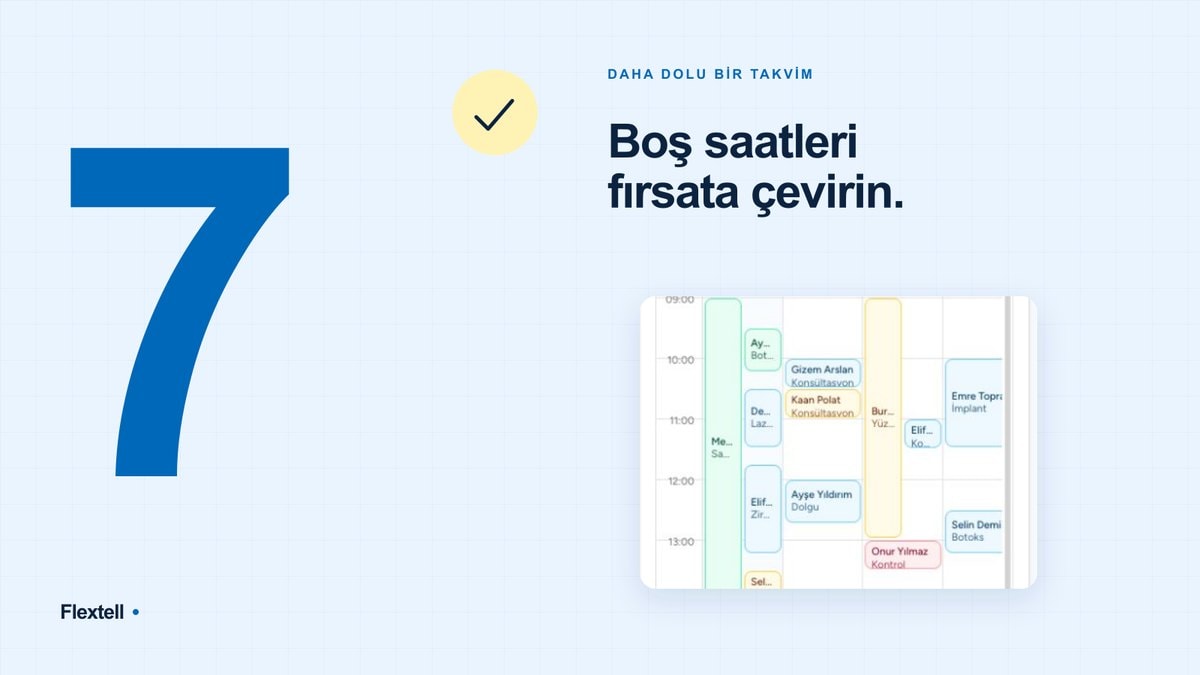
In Flextell, a session plan is defined for each treatment: the total number of sessions and the interval between sessions. When a session is closed, the system calculates the suitable date range for the next session, identifies the available slot and sends the patient an automatic session confirmation message. When the patient confirms, the appointment is added to the calendar; staff do not need to take any extra step.
7. After the demo, will you be able to try the system independently in your own clinic setup?
A demo is a presentation; it may not provide enough data for a purchase decision. To find out whether the software really fits your clinic, you need to test it in your own workflow, with your own data, with your own team.
The question to ask after the demo is this: will you be able to try the system independently before moving to a paid subscription? Is the trial period long enough? Will you be able to get support during the trial?
Making a decision based on the demo alone means trying to guess “how it will work” without actually using the system. That guess usually proves expensive.
Flextell offers a free trial option. After signing up for the platform, you can test the system in your own clinic setup, with your own team and in your real workflows. It is possible to start working independently of the demo.
8. Will the software be able to grow with your needs as your clinic grows?
A small clinic with a single doctor today can turn into a setup with three doctors and multiple branches two years from now. At that point the software needs to be ready for this too.
The question to ask in the demo is this: when a new doctor is added, a new communication channel is opened or a new branch is set up, can the system adapt? Can additional modules be added as you need them?
If software that looks right for today’s needs falls short as the clinic grows, the cost of change multiplies: new data migration, a new learning curve, new integrations.
Flextell has a modular structure. The modules, from appointment and patient management to inventory tracking, from e-Invoice integration to AI-powered reporting, can be enabled according to the clinic’s needs. As the clinic grows, the platform grows too; there is no need to switch to other software.
Frequently asked questions
Can I try Flextell without getting a demo?
Yes, by signing up for Flextell for free you can test the system independently in your own clinic setup. Getting a demo is not required; direct access to the platform can be provided.
Is real patient data used during the demo?
In Flextell demos, the system is shown on a setup that works with real clinic data. The AI assistant produces replies from defined doctor profiles and treatments, not from ready-made templates.
Can I migrate my data from my current software to Flextell?
Yes, Flextell’s import module supports a wide range of data types, including patient records, appointment history, treatment information and financial data. The Flextell team provides support during the migration.
How many communication channels can be connected to Flextell?
WhatsApp, Instagram DM and Telegram are supported. All messages from these three channels are managed on a single panel; the AI assistant works on three channels at the same time.
How are multi-session treatments tracked in Flextell?
Each treatment is given a number of sessions and a session interval. When a session is completed, the system calculates the next session, identifies the available time and sends the patient an automatic confirmation message. With the patient’s confirmation, the appointment is added to the calendar; staff do not need to take any extra step.
Is Flextell suitable for a small clinic too?
Yes. In clinics made up of a single doctor and an assistant, the AI assistant handles after-hours communication, sends reminders and runs the appointment flow without extra staff. The platform is designed so that new modules can be added as the clinic grows.
Do I need technical knowledge to set up Flextell?
No, setup consists of steps that do not require technical infrastructure. Once doctor profiles, treatment definitions and working hours are entered into the system, the AI assistant starts working. The Flextell team provides support during setup.
A Demo Starts With the Right Question
A clinic software demo should reveal not what a piece of software can do but how well it fits the clinic’s real workflow. That difference is only possible with the right questions.
Whether the AI answers from real data or from a template, whether the after-hours flow is shown live, how transparently the data migration process is explained: all of these are points to clarify before the demo.
To look in more detail at all of Flextell’s modules and how they work together, you can see our guide to the questions to ask when choosing clinic software here. Or you can start a free trial right away to test the system in your own clinic setup.
This content was prepared by the Flextell team. Last updated: May 2026.